
How to Set Up a Hardware Wallet Safely
Buy from the maker, check the device, set it up yourself, write the seed phrase offline, verify addresses on the screen and test a small transfer before more.
A safe hardware wallet setup starts with buying directly from the manufacturer. Then check that it arrives unused, generate a new seed phrase on the device itself, write the phrase down offline, set a PIN, install the official app, verify receiving addresses on the device screen and test with a small transfer before moving larger amounts.
Before you start
You need the device, its official companion app downloaded from the maker’s website, durable material for the seed phrase and a private place to work. See hot wallet vs cold wallet for why hardware wallets keep keys offline.
Setting it up
1. Buy from the manufacturer
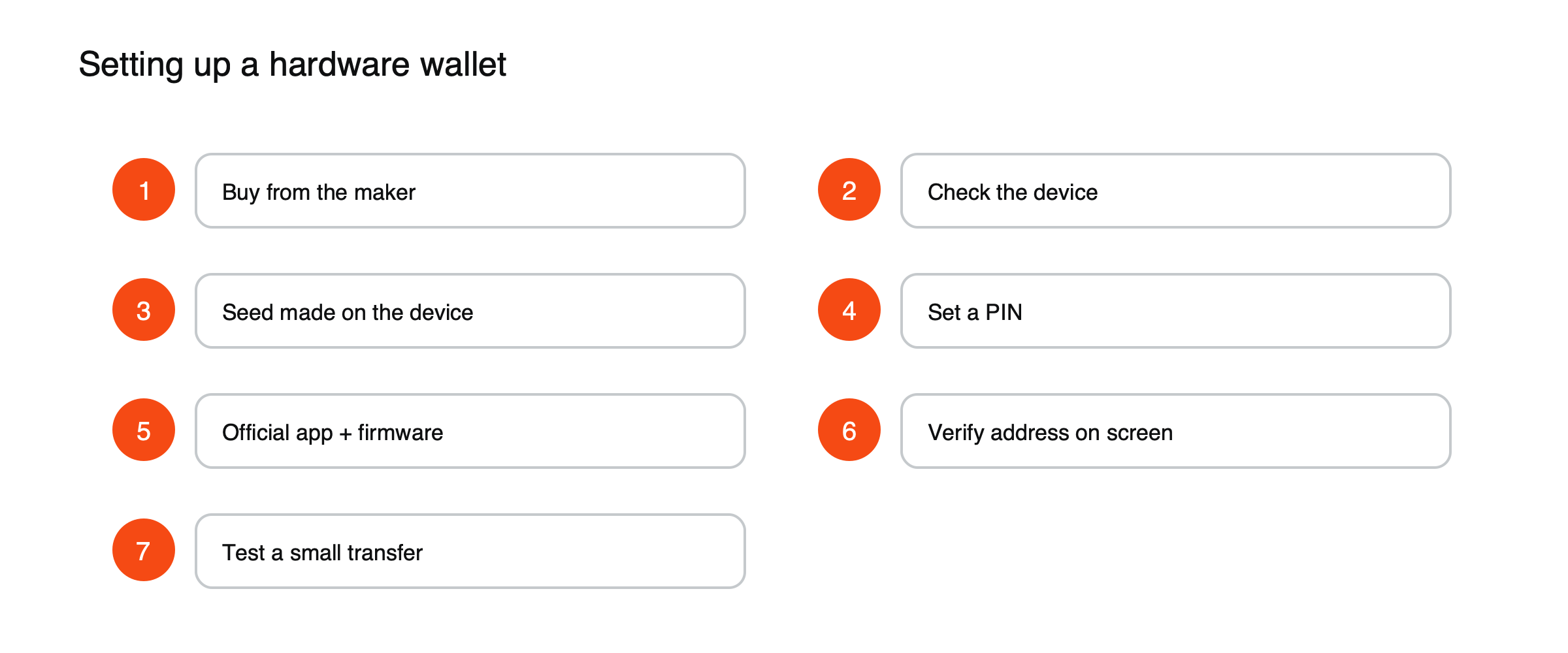
Figure: Seven steps for a safe hardware wallet setup.
Order directly from the maker or an authorized reseller. Devices from marketplaces or second-hand sellers may have been tampered with.
2. Check the device and packaging
Follow the maker’s instructions for checking seals and authenticity. A device that arrives with a seed phrase already printed or filled in is a scam: never use it.
3. Generate a new seed phrase on the device
Let the device create the phrase, and write it down by hand as it appears on the device’s own screen. See how to back up a seed phrase safely.
4. Set a PIN
Choose a PIN that is not obvious. Too many wrong attempts usually wipe the device, which is why the backup matters.
5. Install the official app and update firmware
Use only the app linked from the maker’s official site, and install firmware updates from within it.
6. Verify addresses on the device screen
When receiving funds, confirm that the address shown in the app matches the address on the device. Malware can change what your computer shows, but not what the device displays.
7. Test with a small amount
Send a small amount in, then send some out, before moving larger sums.
Choosing how it connects
Hardware wallets connect in different ways. USB cable models plug into a computer or phone. Bluetooth models add convenience on mobile at the cost of a wireless link, which manufacturers secure but some users prefer to avoid. Air-gapped models never connect directly: they exchange transactions as QR codes or through memory cards, so the device is never physically or wirelessly linked to an internet-connected machine. All three keep keys on the device; the choice is about convenience and how much you want to limit the device’s contact with other hardware.
Reading the screen before you sign
The device’s screen is the part of the setup you can trust when your computer cannot be. Before approving anything, check on the device itself:
- The destination address, character by character at the start and end, and ideally in the middle too.
- The amount and the asset, including the network for tokens that exist on several chains.
- The fee, which should look reasonable for the network.
- For contract interactions, what the device says the transaction does. If it shows only unreadable data, stop and verify with another tool before signing.
Updating firmware safely
Firmware updates fix security issues and add support for new coins, so they matter. Install them only through the manufacturer’s official app, never from a link in an email or message, and make sure your seed phrase backup is in hand before you begin. A genuine update never asks you to type your seed phrase into a computer. If a prompt during an update asks for it anywhere except on the device itself, stop.
If the device is lost, stolen or broken
The device is not your backup; the seed phrase is. If it is lost or broken, buy a new device, restore from your phrase and confirm your addresses and balances. If it is stolen, the PIN protects it for a while, since repeated wrong attempts wipe it, but a determined thief with time and tools may try to extract data. The safest response is to restore your phrase on a new device and move the funds to a new wallet with a fresh phrase.
Keep the device, its cable and the box together only if the seed phrase is stored somewhere else entirely; the packaging can also help prove authenticity if you ever need support from the manufacturer.
What a hardware wallet does not protect against
A hardware wallet keeps your keys away from malware, but it signs whatever you approve. It cannot stop you from sending funds to a scammer, approving a malicious token permission or typing your seed phrase into a fake site. It cannot protect a backup that someone else has found, and it does not help if you are pressured into unlocking it. The device removes one of the biggest risks, a compromised computer, and leaves the rest to your habits. See what a wallet drainer is.
Using it with a phone
Many devices work with mobile companion apps over a cable or Bluetooth. The same rules apply: install the app only from the manufacturer’s official link, confirm every address and amount on the device screen rather than the phone, and treat the phone as untrusted, because it is the device most likely to carry malware or be lost.
Common pitfalls
- Signing transactions without reading them on the device screen.
- Entering the seed phrase on a computer or website to «restore» or «verify» the wallet.
- Treating the device as the backup: if it is lost, only the seed phrase can restore funds.
For wallet basics, read what a crypto wallet is and what a seed phrase is.
This article is educational content and does not constitute financial, investment, legal or tax advice. Digital assets are volatile and you may lose the amount you invest.
Frequently asked questions
Can I use one hardware wallet for many coins?
Usually yes. Most devices support many networks from the same seed phrase, though some coins need a particular companion app. Check the manufacturer’s list of supported assets before buying.
Is a hardware wallet worth it for small amounts?
For very small amounts used often, a reputable phone wallet may be enough. Once your holdings reach a level you would hate to lose, a hardware wallet’s protection against malware on your computer or phone becomes well worth its cost.
Sources
- What are recovery words? (enter recovery words only on the device; never on a computer) — BitBox support
- Twelve Words That Hold Every Bitcoin You Own (a legitimate wallet never asks for your seed again; verify recovery) — txid.uk
- Smart Contract Interaction Security (verify addresses and transactions before signing) — Security Alliance